Giving someone permission to edit your Squarespace site is easy!
You should never share your account username and password with anyone! There’s a better way to add your website designer to your website where you control what they have access to and for how long!
Let’s get you set up!
Giving Access
Open your website, and click on Settings at the bottom left side of the screen:

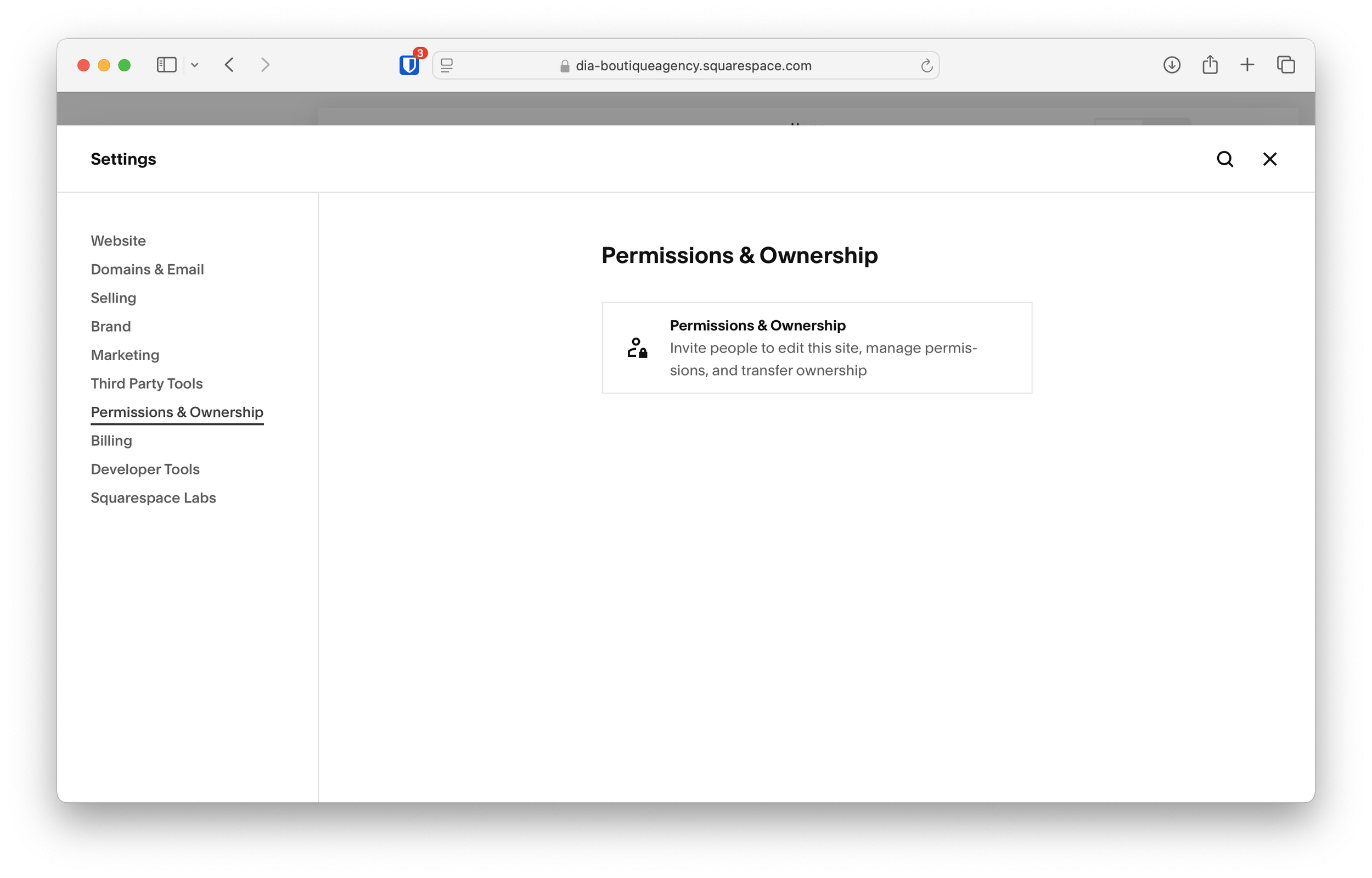
Next, click on Permissions & Ownership in the left side menu, then click on Permissions & Ownership again in the center area:
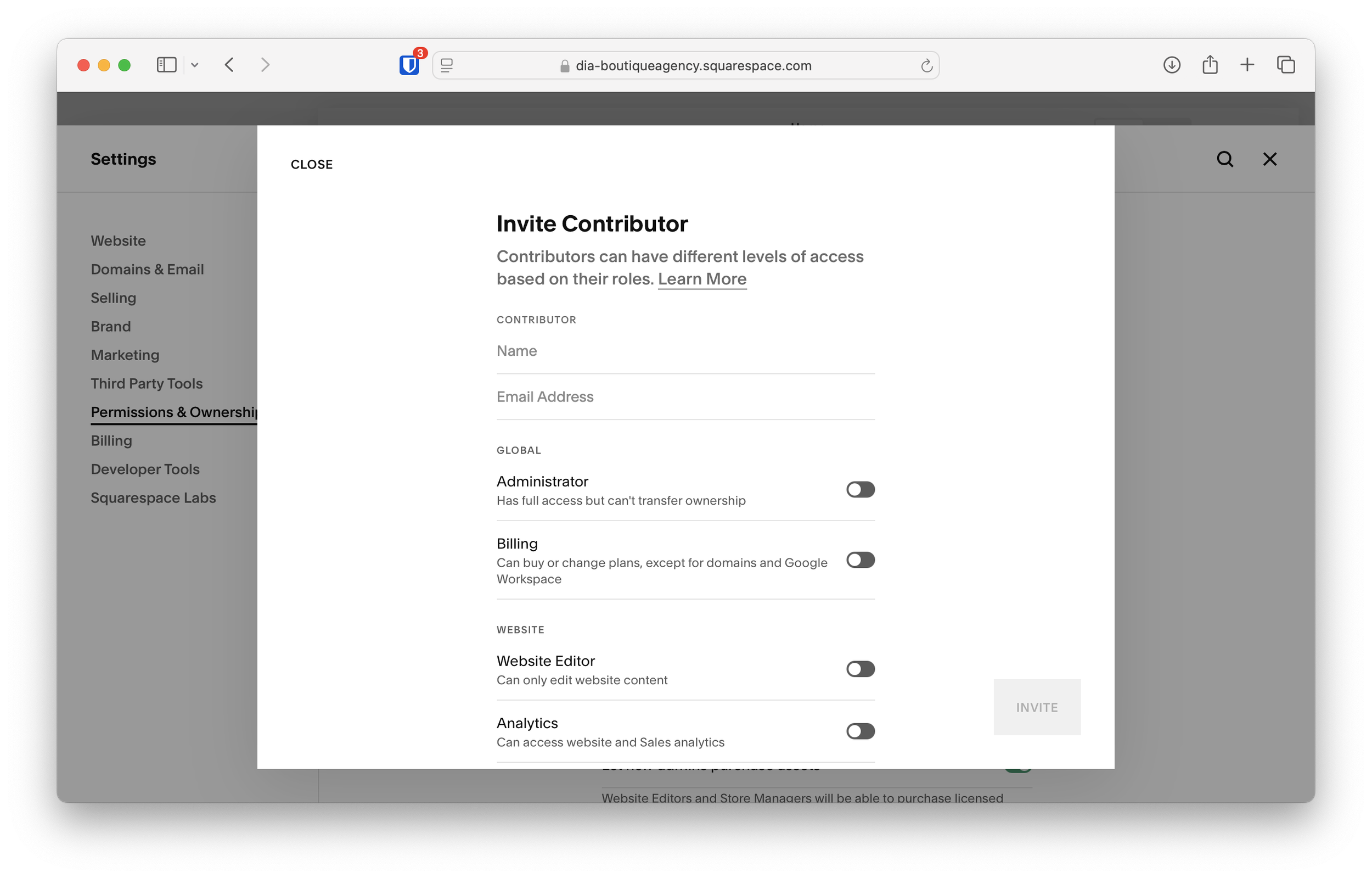
Once inside, you’ll see the screen shown below. Enter the name and email address of the person you’d like to share administrator privileges with.
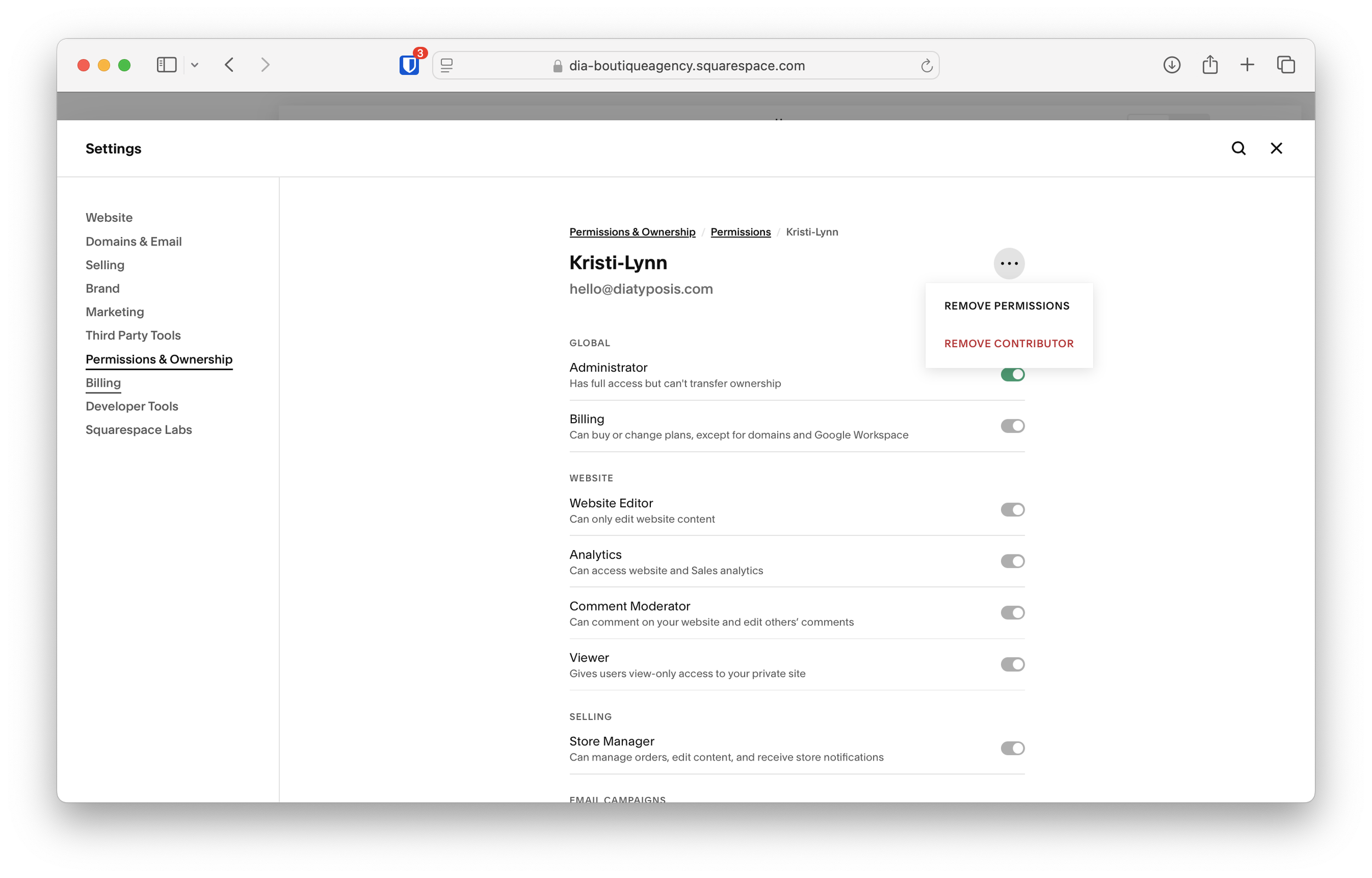
Be sure to also click on the toggle next to “Administrator” if you’d like to add them as an admin. This will also toggle on all the other privileges, except for the ability to transfer ownership, this person will be able to access all areas of your website.
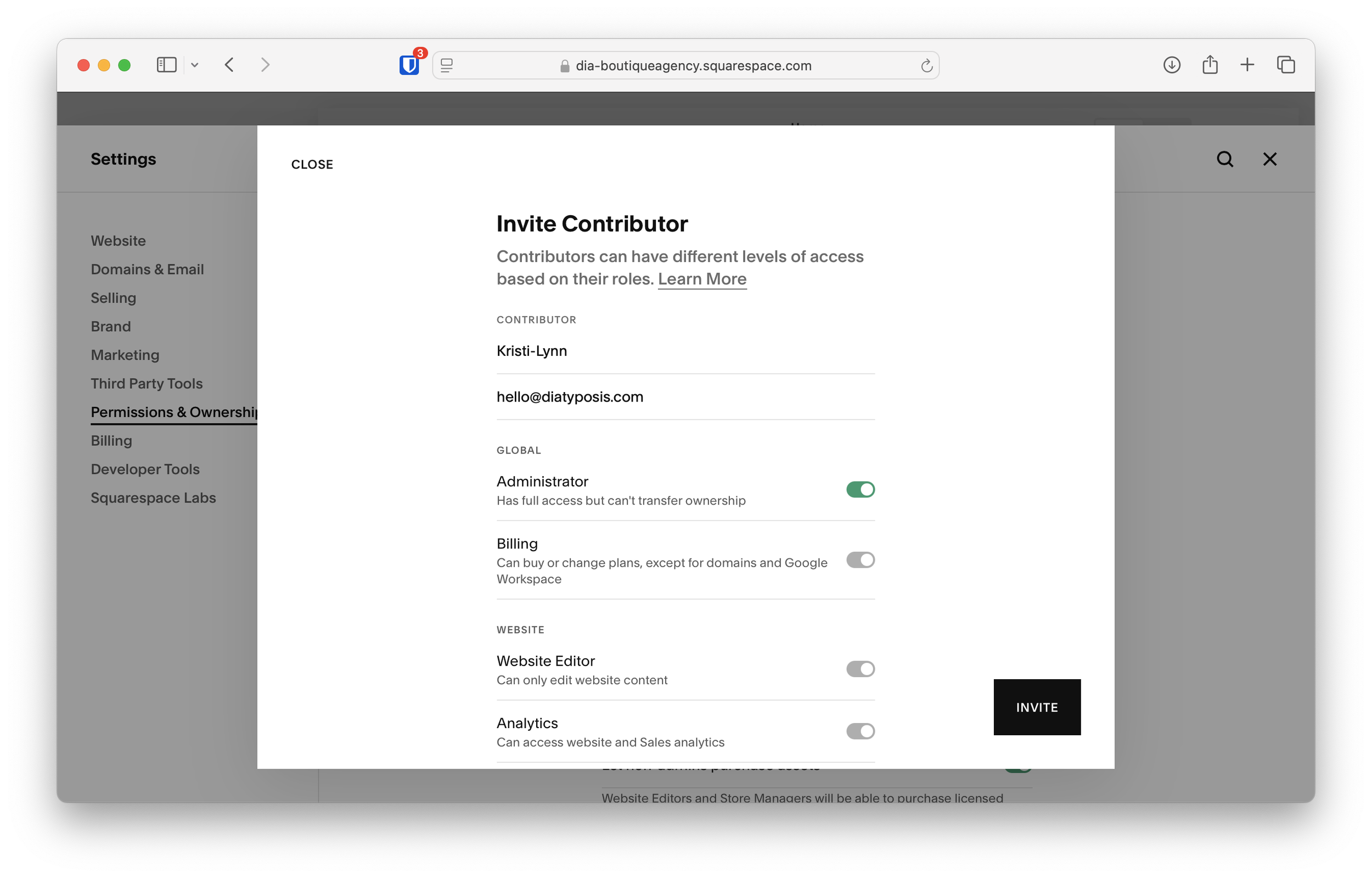
You may choose to give this new user any privileges you want. If you only want them to be able to access your Analytics, for example, just click the toggle next to Analytics instead of Administrator and they will only be able to access your Analytics panel when they log in.
Revoking Access
Revoking access is pretty similar to giving access. When you go back into the Permissions & Ownership panel, you’ll see any additional contributors you’ve added:
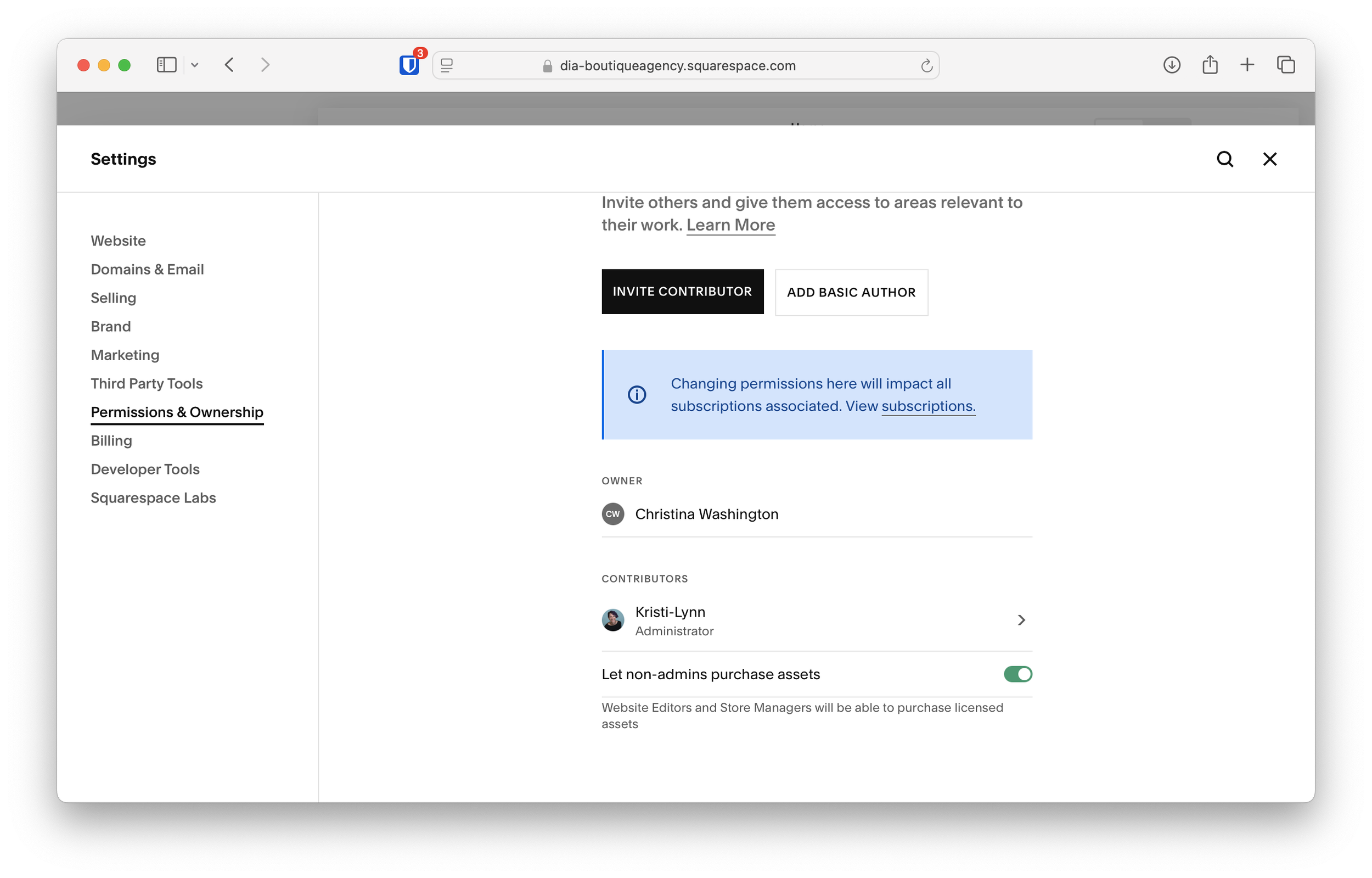
Click on the contributor’s name that you’d like to remove. You’ll see a dot menu at the top right of the user profile, click on that and select Remove Contributor. Or, if you’d prefer, you can change their permissions by updating which toggles are turned on, or you can remove all their permissions but keep them as a contributor by clicking Remove Permissions instead.
That’s all it takes to add someone as a contributor, and remove their permissions later when they no longer need access. It’s important to keep your password private and never share it with anyone else, but that doesn’t mean you can’t still give someone access to your site when they need it!